
Standardized Use and Maintenance Methods for Horizontal Flow Class-100 Clean Workstations
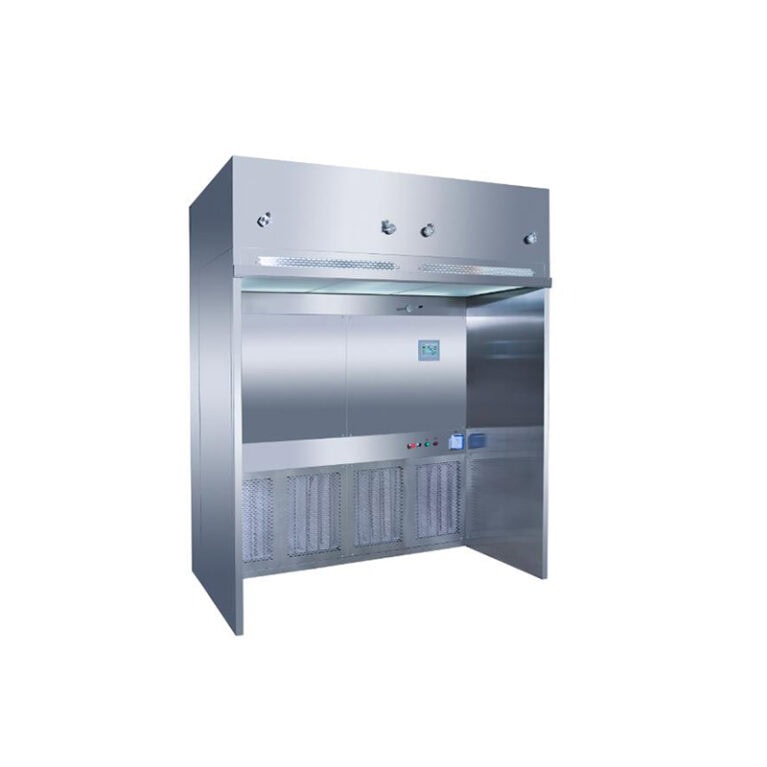
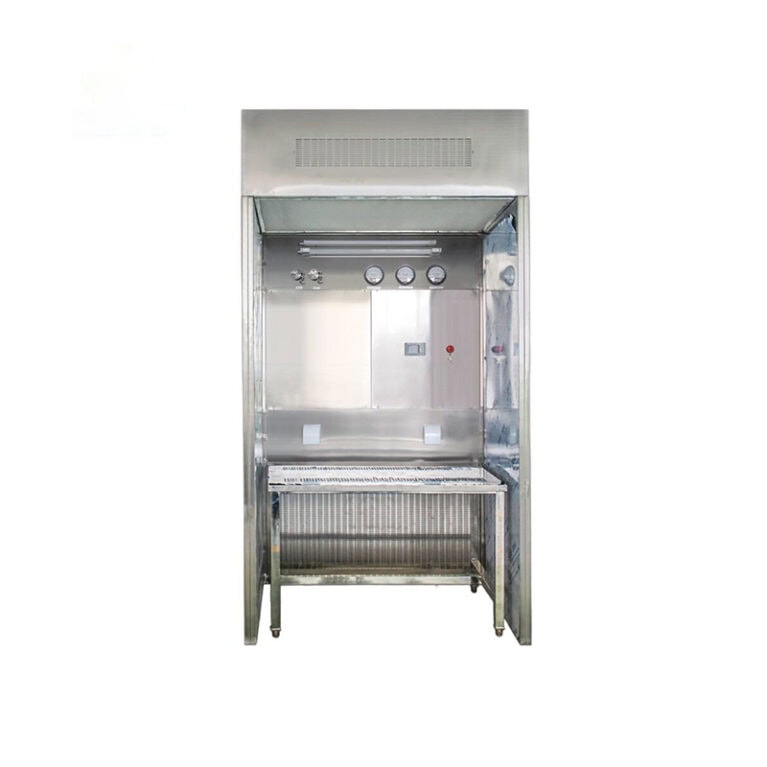
The core value of horizontal flow clean workstations is to provide a dust-free and clean environment of 100-level (ISO 5 class) through stable horizontal laminar flow. The core principles for its use and maintenance are: reducing air turbulence, strictly controlling the cleanliness of the operation area, regularly ensuring the filtration efficiency, and maintaining the stability of the laminar flow. All operations should be carried out in accordance with these principles. At the same time, considering its characteristic of “air flow blowing directly from the back to the front without personnel protection capability”, standardized usage and maintenance procedures should be formulated. The following are practical operation guidelines that can be directly implemented, including the entire operation process (before startup / during operation / after shutdown), daily and regular maintenance, common fault troubleshooting, and core prohibitions. They also take into account operability and compliance.
I. Standardized Use Procedure (in stages, directly executable)
The laminar flow field of horizontal flow clean workstations is prone to be disturbed by external forces. The standardization of operation directly determines whether the cleanliness is met. It is necessary to strictly follow the “preparation before startup → pre-operation blow-off → operation control → cleaning after shutdown” sequence, and follow the clean operation principles throughout (avoid introducing external particles and not disturbing the air flow).
(1) Before Startup: Preparation and Inspection (5-10 minutes)
Core objective: Eliminate pollution hazards in the equipment, environment, and personnel, laying the foundation for stable air flow
Environmental inspection
The working area placement area should be kept clean, within 1 meter there should be no debris or dust sources (such as trash cans, powder bottles, fans), to avoid environmental air flow interference with the horizontal laminar flow;
Open windows for ventilation in the operation room 30 minutes in advance (non-clean operation room) or turn on the fresh air of the clean room, control the environmental temperature and humidity within 20-28℃, 40%-60%, to reduce condensation and particle suspension.
Equipment appearance and component inspection
Check if the tempered glass door / baffle of the operation area is intact, can be flexibly raised and lowered and has no gap;
Confirm that the rear return air outlet and the front outlet are not obstructed (the core air flow channel of horizontal flow, obstruction will directly lead to laminar flow disorder), the initial efficiency filter of the return air outlet has no obvious dust accumulation or blockage;
Check the pressure gauge (if equipped) to see if the reading is within the rated range (for a combined initial and high-efficiency filter, the pressure difference is generally 200-300 Pa, refer to the equipment manual), abnormal readings should first check the filter, do not blindly start the machine;
Check if the lighting, fans, and power supply of the workbench are normal, the tabletop has no scratches or damages, metal components have no rust.
Personal operation preparation
Wear clean clothing, dust-proof cap, disposable gloves, dust-proof shoe covers, completely cover hair and clothing fibers to avoid falling into the operation area during operation;
Wipe hands / arms with 75% medical alcohol for disinfection, do not apply hand cream or nail polish (easily produce particles and volatile substances);
Carry pens, record books that are dust-free, do not bring ordinary paper, plastic bags into the operation area (easily produce debris, static adsorption of dust).
Preparation of the operation area
Use a dust-free wiping cloth dipped in 75% alcohol, wipe the operation table, inner wall, glass baffle from inside to outside, from top to bottom, focus on wiping corners and around the outlet (areas prone to dust accumulation);
After the alcohol has completely evaporated, place the required equipment and samples in advance at the designated position in the operation area (plan the placement route to avoid repeated movement during operation).
(2) After Startup: Pre-operation Blow-off (core step, 15-30 minutes)
After the horizontal flow workstation is powered on, it needs to undergo sufficient blow-off to form a stable and uniform horizontal laminar flow field. Otherwise, direct operation will cause samples to be contaminated by environmental particles. This step cannot be omitted:
Turn on the power, open the main switch of the equipment, sequentially turn on the fan, lighting (for some equipment, it is an integrated switch);
Adjust the glass partition to the rated operating height (generally 10-15 cm, as per the equipment manual; too high will cause laminar flow leakage and outside air to enter, while too low will hinder the circulation of the airflow);
Keep the empty workbench running for 15-30 minutes. If the operation room is dusty or the equipment has not been used for a long time, extend it to 30-40 minutes to ensure that the suspended particles in the operation area are completely carried out by the airflow;
During the pre-operation period, do not touch the operation area or open the glass partition, to avoid disturbing the airflow.
(III) During operation: Core regulations (strictly control airflow stability throughout the process)
During operation, this is the stage most likely to disrupt the laminar flow field. All actions must be gentle, slow, and steady, and strictly follow the requirements of “not disturbing the airflow, not introducing pollution”, while combining the airflow characteristics of the horizontal flow “post-sending, pre-extraction”, standardize the placement of samples / equipment and operation actions:
Item placement principle
Place items in the order of “from back to front, from clean to general”: The sample / equipment with the highest cleanliness requirement should be placed at the rear of the workbench (on the air intake side), and the ordinary equipment should be placed in the front (on the air outlet side), to avoid high-cleanliness samples being contaminated by the particles generated by the equipment;
The placement of items should be moderate in density, reserve sufficient airflow channels, do not stack or block the air outlet / return air vent, do not place large items in the center of the operation area (it will block the horizontal laminar flow and form a “vortex area”, causing dust to accumulate on the samples);
All equipment and sample bottles should be sealed and placed, unused containers should be covered with a dust-free film to prevent particles carried by the airflow from falling onto the surface of the workbench.
Operation action norms
The arm should slowly extend into the operation area from the side of the workbench, do not quickly extend from the front / above, the movement range should be small, to avoid air turbulence caused by rapid movement disturbing the horizontal laminar flow;
During the operation process, keep both hands above the 10-20 cm laminar core area of the workbench, do not place the arm close to the workbench surface (it will hinder the airflow and cause the particles on the surface of the workbench to be lifted);
Do not perform rapid stirring, pouring, shaking, etc. in the operation area, to avoid generating aerosols (horizontal flow has no protective ability, aerosols will be blown directly towards the operator by the airflow and are prone to contaminating the surrounding samples);
If items need to be transferred, slowly place / take them from the side, immediately close the glass partition after transfer, wait for the airflow to stabilize for 1-2 minutes before continuing the operation.
Operation area cleaning and emergency
If there is a spill of reagents or liquids in the operation area, immediately wipe it clean with a 75% alcohol-soaked dust-free wiping cloth to avoid the liquid drying and forming dirt, and breeding mold (although there is no biological protection, the operation area must remain clean);
When changing gloves and wiping cloths, complete outside the operation area, do not tear disposable items inside the operation area (it is prone to generating debris);
During operation, do not open the doors of the operation room or use fans, to avoid external airflow interfering with the laminar flow inside the operation area.
Absolutely prohibited operations
Do not eat, drink, place food or water cups inside the operation area;
Do not operate samples / reagents with biological hazards, toxicity, volatility, corrosiveness (in line with the core characteristics of horizontal flow without protection);
Do not bring ordinary rags, tissues, tapes, etc., which are prone to generating debris, into the operation area;
Do not randomly adjust the fan speed or disassemble the internal components of the workbench. Abnormal fan speed requires professional personnel to adjust.
(IV) After shutdown: Cleaning and finishing (must do, to avoid dust accumulation and equipment wear and tear)
After the operation is completed, it is necessary to clean in time to avoid residual particles and stains on the workbench from accumulating over time, affecting the cleanliness of the next use, and standardize the shutdown steps to extend the service life of the equipment:
Final cleaning of the operation area
First, slowly remove all samples and equipment from the workbench, sort and arrange them according to cleanliness requirements;
Use a 75% alcohol-soaked dust-free wiping cloth to wipe the workbench surface, inner walls, glass partition, air outlet / return air vent area again from inside to outside and from top to bottom, focus on cleaning the residual reagent traces and powder; If there are stubborn stains inside the table, use a lint-free cloth to dip in a small amount of deionized water for wiping. Wait for it to completely dry before proceeding with the subsequent operations. Do not use corrosive reagents such as acetone, strong acids, or strong bases (as they will damage the table surface and plastic components).
Standardized shutdown
After cleaning, keep the glass cover plate in a semi-retracted state (not completely closed, leaving a 5-10cm gap), to avoid the enclosed and humid environment in the table from breeding mold;
First, turn off the fan, wait for the air flow inside the table to completely stop (about 1 minute), then turn off the lighting and the main power supply, and unplug the power plug (for long-term non-use).
Cover the workbench with a clean cover to avoid environmental dust from falling on the equipment surface and the air inlet.
Post-arrangement
Clean up the surrounding environment of the operation area promptly, keeping no debris within 1 meter;
Make proper records of equipment usage, filling in the usage time, operators, operation content, and equipment operating status (such as whether the air flow is normal, and whether there are abnormal sounds), in accordance with compliance management requirements.
II. Standardized maintenance process (daily / regular / special, including cycle + operation points)
The core of maintenance for horizontal flow clean benches is to ensure the efficiency of the filtration system, maintain laminar flow stability, and protect core components. It should be carried out according to “daily maintenance (after each use), regular maintenance (fixed cycle), and special maintenance (component replacement / fault repair)”, and all maintenance operations should be carried out after the equipment is powered off and cleaned. At the same time, maintain records to facilitate traceability and compliance review.
(1) Daily maintenance (performed after each use, synchronized with the shutdown process)
This is basic maintenance, the core is cleaning dust accumulation prevention, and checking vulnerable parts. It takes less time and is easy to implement, and is the foundation for ensuring the normal operation of the equipment:
Clean the interior of the operation area and the surface of the equipment, without residual stains or particles;
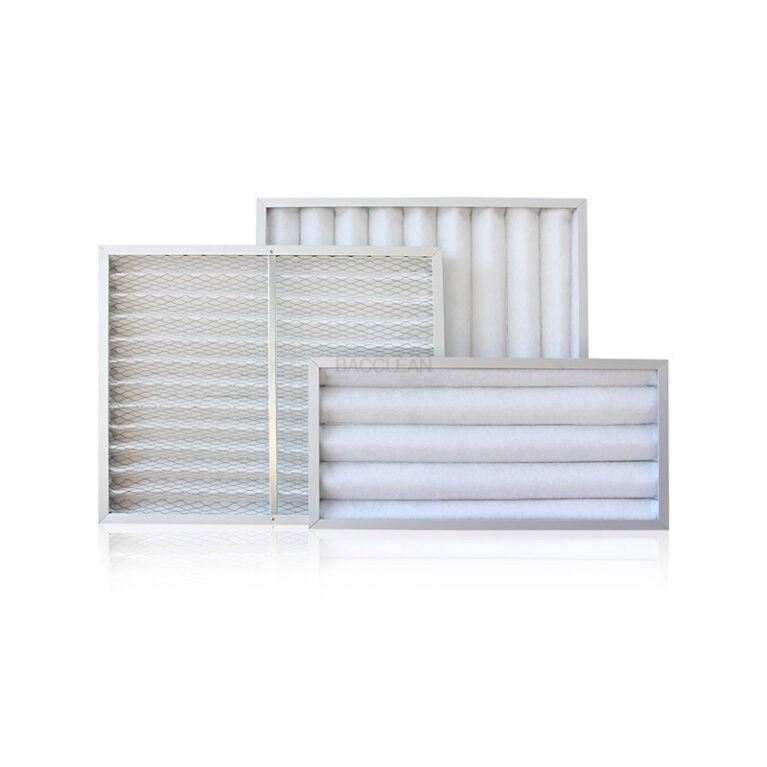
Check the surface of the primary filter at the return air inlet, without obvious dust accumulation or blockage. If there is floating dust, use a soft-bristled brush to gently brush it off (from inside to outside);
Check if the glass cover plate is moving smoothly, the sealing strip is intact, and there is no looseness or detachment;
Check if the table surface, power cords are damaged, and there is no abnormal noise from the fan (if so, immediately stop the machine, and do not use it).
(2) Regular maintenance (fixed cycle, adjusted according to the equipment usage frequency, with reference cycles)
Adjust the cycle according to the equipment usage frequency (daily use / weekly use / monthly use). The core is deep cleaning, component calibration, and performance testing. It is recommended to be handled by a dedicated person. The following are general reference cycles, which can be optimized in combination with the equipment manual:
| Maintenance project | Reference maintenance cycle | Key operational points |
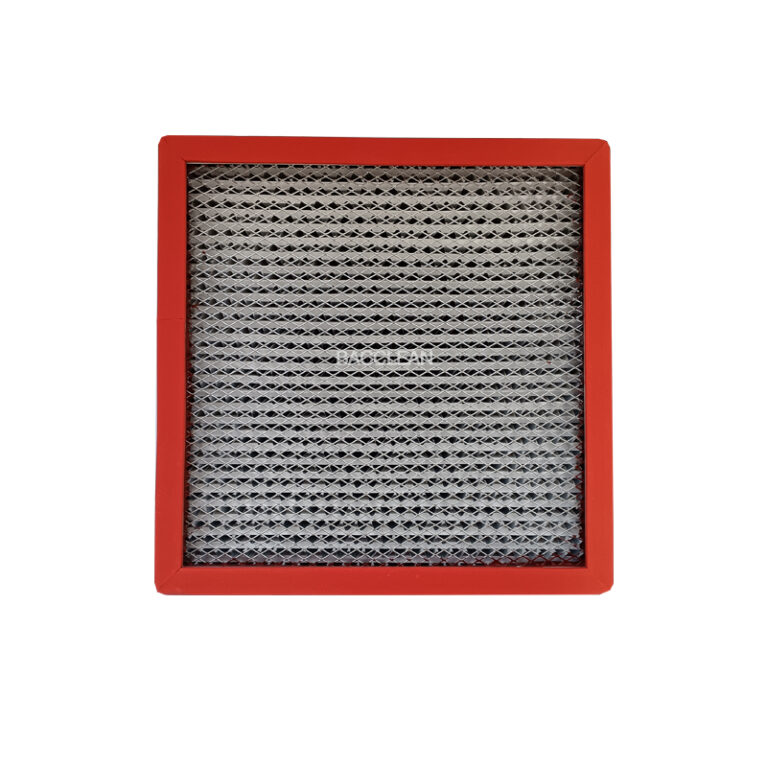
| Deep cleaning of the primary filter | 1-3 months (daily use); 3-6 months (infrequent use) | 1. Remove the primary filter (at the return air outlet, usually with snap fasteners, no tools required); 2. Rinse with clean water (if washable), or use a soft-bristled brush combined with compressed air (pressure ≤ 0.3 MPa) to blow away the accumulated dust from the inside out; 3. Place it in a cool place to dry naturally, avoid direct sunlight and heating; 4. After drying, reinstall it, check if the seal is tight, if it is still blocked after cleaning, replace it directly. |
| Deep cleaning of the equipment interior | 1-2 months | 1. After power failure, the detachable partition (such as the side panel) in the operation area can be removed. 2. Use a lint-free cloth dipped in 75% alcohol to wipe the air intake of the fan, the inner wall of the duct, and the internal metal components of the equipment. 3. After cleaning is completed, reinstall the partition to ensure a tight and seamless seal. |
| Pressure differential gauge calibration / inspection | 3 months | 1. Check whether the pressure difference reading is within the rated range. If the reading remains consistently high (more than 30% above the rated value), it indicates that the high-efficiency filter is clogged. It is necessary to promptly inspect and replace it. 2. Have the pressure difference meter calibrated by a professional institution on a regular basis to ensure the accuracy of the reading and keep records of the calibration. |
| Air flow uniformity detection | 6 months | 1. Professional personnel shall use an anemometer to measure the wind speed at different points in the operation area (the rated wind speed for horizontal flow is generally 0.3 – 0.5 m/s, as specified in the manual). 2. The deviation of wind speed at each point should be ≤ ± 0.05 m/s. If the deviation is too large, professional personnel shall adjust the fan or check whether the filter is clogged. |
| Power cord / Electrical component inspection | 6 months | 1. Check for any aging, damage or overheating of the power cord, plug and switch. 2. Inspect the contact condition of the fan motor and lighting circuit, and listen for any abnormal sounds. In case of electrical faults, have them repaired by a professional electrician. Do not attempt to disassemble by non-professionals. |
(III) Special Maintenance (Replacement of core components, including filters / countertops / fans)
Special maintenance involves replacement of worn-out parts + repair of faulty components, which is crucial for ensuring the cleanliness and lifespan of the equipment. Among them, the replacement of high-efficiency filters is the core item, directly determining whether the operating area meets the cleanliness standards. All replacement operations must follow clean operation procedures to avoid introducing contamination.
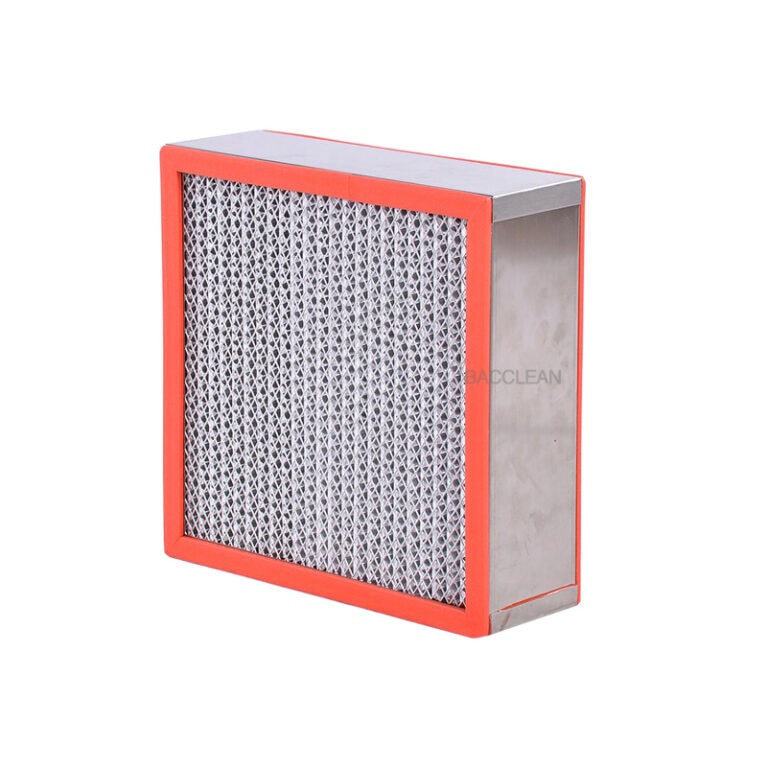
1. Replacement of High-Efficiency Filters (Core Maintenance Item, reference period 6-12 months, or immediate replacement when pressure difference exceeds the limit)
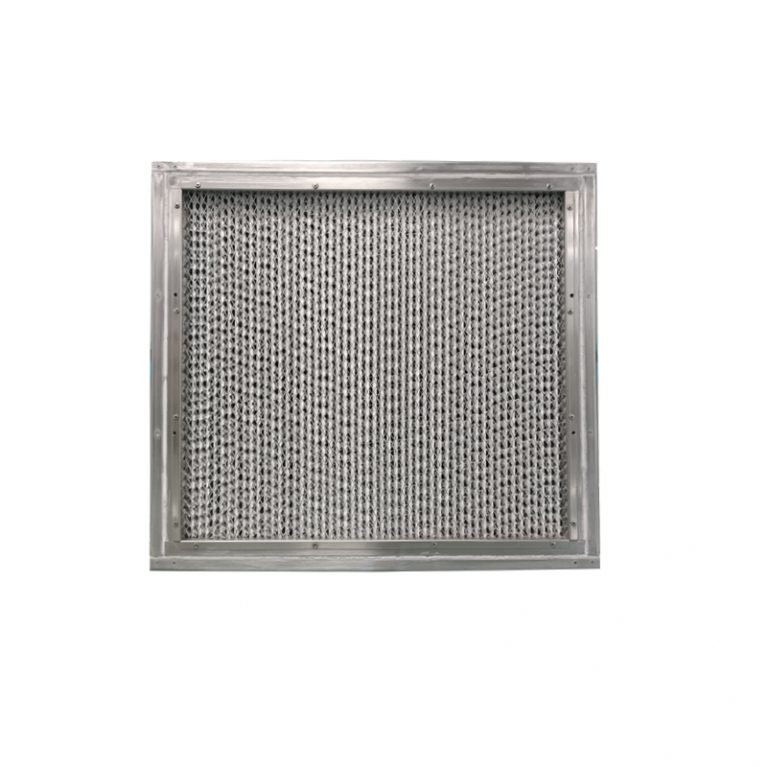
Horizontal flow ultra-clean workstations’ high-efficiency filters are non-cleanable components. When clogged, they need to be replaced directly. The replacement cycle is combined with usage frequency and pressure difference meter readings (a continuously high reading indicates a core replacement signal):
Preparation before replacement: Power off, clean the equipment exterior and the operating area, operators wear clean suits and dust-free gloves, prepare new high-efficiency filters (matching the equipment model, with a qualified certificate);
Disassembly of old filters: Open the filter maintenance door at the rear of the workbench, loosen the fixing clips, slowly remove the old filter, avoid shaking (to prevent the accumulated dust in the filter from scattering to the duct);
Cleaning installation position: Use a 75% alcohol-soaked cloth to wipe the filter installation frame and sealing rubber strips, ensuring no dust or stains;
Installation of new filters: Attach the new filter’s sealing rubber strip to the installation frame, ensuring no gap and no air leakage (leakage will directly lead to non-compliance with cleanliness standards), secure the fixing clips, close the maintenance door;
Verification after replacement: Power on for a 30-minute pre-run, use a wind speed meter to detect air flow uniformity, or use a dust particle counter to detect the cleanliness of the operating area, confirming compliance with the 100-level standard before use.
2. Maintenance / Replacement of the operating countertop
If the countertop has minor scratches, use a dedicated polishing agent to polish and repair; if the scratches are deep, damaged, or the corrosion layer has fallen off, replace immediately (the countertop is mostly 304 stainless steel, matching the original model is required);
After replacement, ensure sealing to avoid gaps between the countertop and the inner wall of the equipment, preventing dust accumulation.
3. Maintenance / Replacement of the fan
If the fan has abnormal sounds, the wind speed significantly decreases and cannot be adjusted, or the motor is severely overheated, have professionals inspect the fan bearings and blades. If the bearings are worn, replace the bearings; if the motor is damaged, replace the fan as a whole;
After replacement, re-adjust the wind speed to ensure compliance with the air flow uniformity standard.
(IV) Maintenance Record Management (Core of compliance, linked with usage records)
All maintenance operations need to be recorded in a standardized manner to facilitate equipment status追溯, compliance review, and the records should include the following core information:
Maintenance date, operator, maintenance items (such as cleaning, filter replacement, pressure difference meter calibration);
Maintenance details (such as filter replacement model, pressure difference meter reading, wind speed detection results);
Equipment operating status (whether it is normal after maintenance, whether there are any remaining issues);
Qualified certificates and calibration reports of replaced components (such as high-efficiency filter certificate, pressure difference meter calibration report) are attached to the records;
Records are archived in chronological order and the retention period is in accordance with industry compliance requirements (such as the pharmaceutical / electronics industry generally retains for more than 3 years).
III. Common Fault Troubleshooting (Quick location, can be directly implemented, non-professionals only perform basic troubleshooting and shutdown handling, complex faults need to contact the equipment manufacturer or professional maintenance personnel to avoid damage to the equipment due to self-disassembly. The following are common faults and troubleshooting methods:
| Common Faults | The main reason | Basic Investigation and Handling Methods |
| After turning on the machine, the fan does not rotate and there is no airflow. | 1. Poor power connection; 2. Damaged fan switch; 3. Faulty fan motor | 1. Check whether the power plug and socket are securely inserted, and whether the main power supply is on. 2. Check if the fan switch is functioning properly. If the switch does not respond, immediately stop the machine. 3. After eliminating the power issues, if the fan still does not turn, it indicates a fault in the fan motor. Contact a professional for repair. |
| The airflow is uneven, with wind speeds varying greatly. | 1. The return air outlet / exhaust air outlet is blocked; 2. The primary filter is severely clogged; 3. The fan bearings are worn out. | 1. Remove any obstructions blocking the air outlet / return air duct, and check if the airflow passage is unobstructed. 2. Clean / replace the primary filter, and observe if the wind speed returns after starting the machine. 3. If the airflow is still uneven, it indicates a malfunction of the fan. Stop the machine and contact maintenance. |
| The pressure difference reading remains persistently high. | The efficient filter becomes clogged, resulting in an increase in air flow resistance. | Immediately shut down the machine and check the high-efficiency filter. If it is clogged, replace it directly (it cannot be cleaned). |
| The cleanliness of the operation area does not meet the standards (there is dust) | 1. Insufficient pre-operation time; 2. Leakage of the filter; 3. Disturbance of the airflow due to operational actions; 4. Excessive dust in the environment | 1. Extend the pre-operation time to 30-40 minutes, standardize the operation procedures, and avoid disturbing the airflow; 2. Check whether the installation of the high-efficiency / primary filters is sealed, and whether there is any air leakage. Re-seal or replace the filters if necessary; 3. Optimize the operating environment of the room, reduce the source of dust, and turn on the fresh air of the clean room. |
| There is abnormal noise during the operation of the equipment. | 1. There is an object inside the fan impeller; 2. The fan bearing is worn out; 3. Some components are loose. | 1. After power failure, open the maintenance door and check if there are any foreign objects on the fan impeller. If found, remove them and reinstall them. 2. Check if the internal components (such as baffles, filter frames) are loose. Tighten the fixing screws. 3. If there is still abnormal noise, it indicates a fault in the fan bearings. Contact maintenance for repair. |
| The glass partition does not move smoothly up and down. | 1. The guide rail is dusty; 2. The guide rail bearings are worn out; 3. The sealing strip is stuck. | 1. Use a lint-free cloth to dip in 75% alcohol and wipe the guide rail to remove the accumulated dust. 2. If it still doesn’t work smoothly, it might be due to bearing wear or jammed sealing strips. In that case, contact a professional for repair. |
IV. Core Usage and Maintenance Prohibitions (Red Line Clauses, Strictly Prohibited)
It is strictly forbidden to operate without pre-running or to have a pre-run time of less than 15 minutes, which may lead to unstable laminar flow and sample contamination;
It is strictly forbidden to block the return air inlet or outlet, or to stack large items in the operation area to block the horizontal laminar flow;
It is strictly forbidden to operate with biological hazards, toxic, volatile, or corrosive samples in the cabinet, as these samples have no personnel protection characteristics;
It is strictly forbidden to use corrosive reagents such as acetone, strong acids, and strong bases to clean the cabinet, to avoid damaging the cabinet surface, plastic components, and filters;
It is strictly forbidden for non-professionals to disassemble the high-efficiency filter, fan, or electrical components, or to adjust the fan speed by themselves;
It is strictly forbidden to bring ordinary paper, tissues, tape, plastic bags, etc., which are prone to generating debris, into the operation area;
It is strictly forbidden to quickly open the glass partition, quickly insert or remove items, and vigorously disturb the horizontal laminar flow;
It is strictly forbidden to reuse the high-efficiency filter after cleaning, and must replace it directly after clogging;
It is strictly forbidden to operate the equipment in a humid, dusty, and high-temperature environment for a long time, which will shorten the equipment’s service life;
It is strictly forbidden not to keep maintenance records or not to verify the equipment’s performance (such as cleanliness, air speed) after maintenance and directly put it into use.
V. Techniques for Extending Equipment Service Life (Additional, Meeting the Requirements of Efficient Operation)
Control the usage frequency: Do not turn on the equipment unnecessarily to avoid the lossless operation of the fan and filter;
Take dust prevention measures: When the equipment is not in use for a long time, cover it with a clean cover, and start the pre-run for 15 minutes regularly (monthly) to avoid dust accumulation in the air duct and rusting of the fan bearings;
Optimize the operating environment: Regularly clean and disinfect the operation room, reduce the dust source, and reduce the dust accumulation speed of the filter from the source;
Standardize operation actions: Reduce air flow disturbance, avoid the formation of a vortex area inside the cabinet, and reduce the load on the filter;
Replace worn parts in time: Clean or replace the primary filter in time, which can effectively extend the service life of the high-efficiency filter (the primary filter is the “pre-protective” layer of the high-efficiency filter).
